
Staff & team
The schedule, the clock and payroll stop being three problems
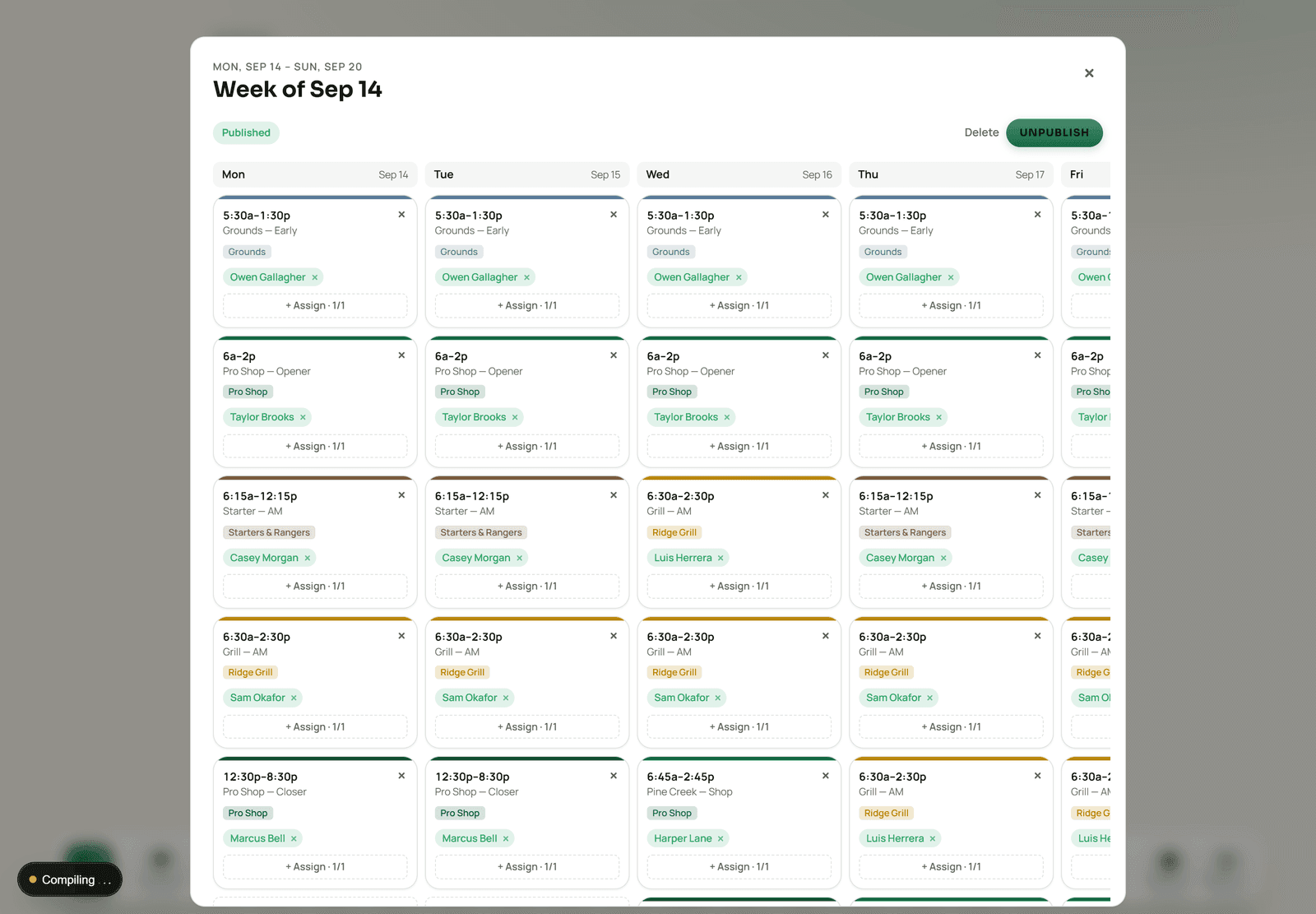
Build a week, publish it to every phone, let the PIN clock at the counter produce the timesheet, and hand payroll a file with overtime already split — inside the same system that knows what the course sold that day.
 Sample data
Why it belongs here
Labor is the other half of the day's number
A course that knows what it sold on Saturday but has to wait for a separate scheduling app to say what Saturday cost does not actually know how Saturday went. Because the clock and the register are the same system, labor cost lands in the same reports as revenue.
- Scheduling
- Build a week, publish it, handle swaps. Staff see their shifts on their phone rather than in a photo of a printout.
- PIN time clock
- Clock in and out at the shared terminal. Every register action is attributable, because the PIN is how the register is used at all.
- Timesheets & payroll
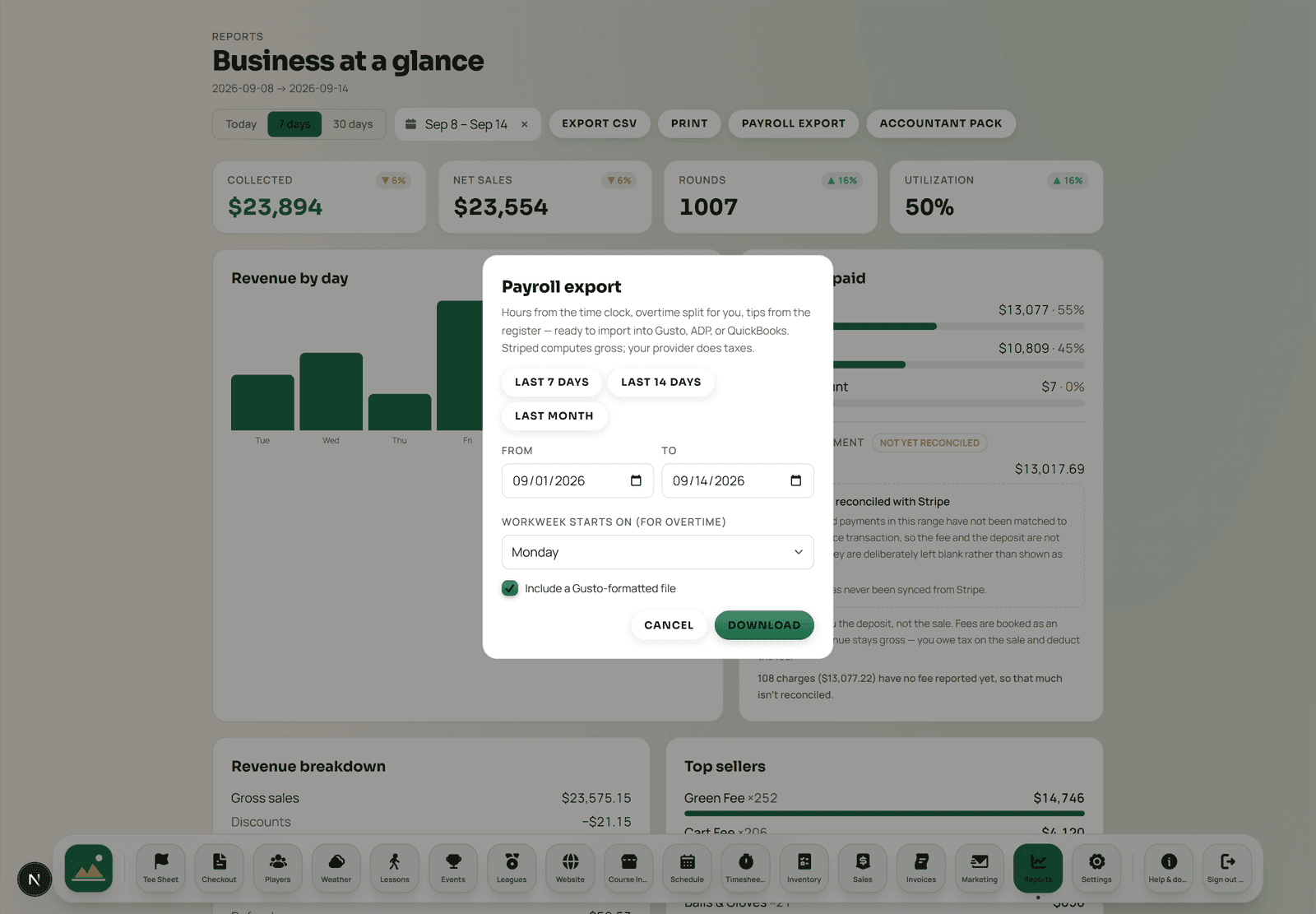
- Timesheets roll into an export with the over-40 overtime split already calculated, plus tips from the register.
Payroll
A file payroll accepts, not a spreadsheet someone rebuilds
Pick the pay period, pick the day your workweek starts, and download a per-employee summary with regular hours, the overtime split, hourly rate, regular and overtime pay and register tips — alongside a day-by-day detail file. A Gusto-formatted export imports straight into Gusto; the universal CSV covers ADP, QuickBooks and everyone else.
- Overtime split for you
- The federal over-40-per-week rule is applied in the export rather than left as an exercise for whoever runs payroll.
- Tips included
- Register tips come through with the hours, so the two halves of a paycheque are not assembled from two systems.
- Hourly rates stay private
- A staff member's rate powers labor-cost reporting and is never visible to other staff.
 Sample data
What is in Staff & Team
- Schedule building and publishing
- Shift swaps and availability
- PIN time clock on the shared terminal
- Timesheets with overtime calculated
- Payroll export: universal CSV and Gusto format
- Team chat and announcements
- Role permissions across departments
- Web logins for managers and bookkeepers
- Labor cost reported next to revenue
- Departments across multiple courses in one organization
The staff app
Aced is not a payroll provider

The early shift
Somebody is here before the first group
The schedule they check on their phone, the PIN clock at the counter and the timesheet that reaches payroll are the same three records — not three systems that have to be reconciled on a Sunday.
Staff questions
Is staff scheduling a separate subscription?
No. Scheduling, the time clock, timesheets, team chat and role permissions are part of the platform and are included in your quote for it. There is no separate scheduling subscription and no per-employee scheduling fee.
How do staff clock in?
By PIN on the shared terminal at the counter. Every staff member has a PIN — nobody can be added without one — so a locked terminal always has someone who can open it, and every action at the register is attributable to a person.
Does it calculate overtime?
The payroll export splits overtime for you using the federal over-40-hours-per-week rule, and lets you set which day your workweek starts. It reports regular hours, overtime hours, hourly rate, regular and overtime pay, and register tips.
What format does payroll export in?
A per-employee summary and a day-by-day detail file as universal CSVs, which import into ADP, QuickBooks and the rest, plus an optional Gusto-formatted file that imports directly into Gusto.
Do staff need their own login?
Only if they work from their own device. Front-counter staff work PIN-only on the shared terminal. A manager, bookkeeper or co-owner who works from their own phone or laptop gets a web login, invited in one click.
Bring a real week
Schedules break on the awkward weeks — a shotgun, a member-guest, two people out. That is the week worth building in a walkthrough.