
Tee sheet & booking
The sheet the whole morning runs on
Every tee time for the day with who is on it, what they are paying and what has been collected — and the same grid handles the move, the block, the check-in and the rain check without sending anyone to a second system.
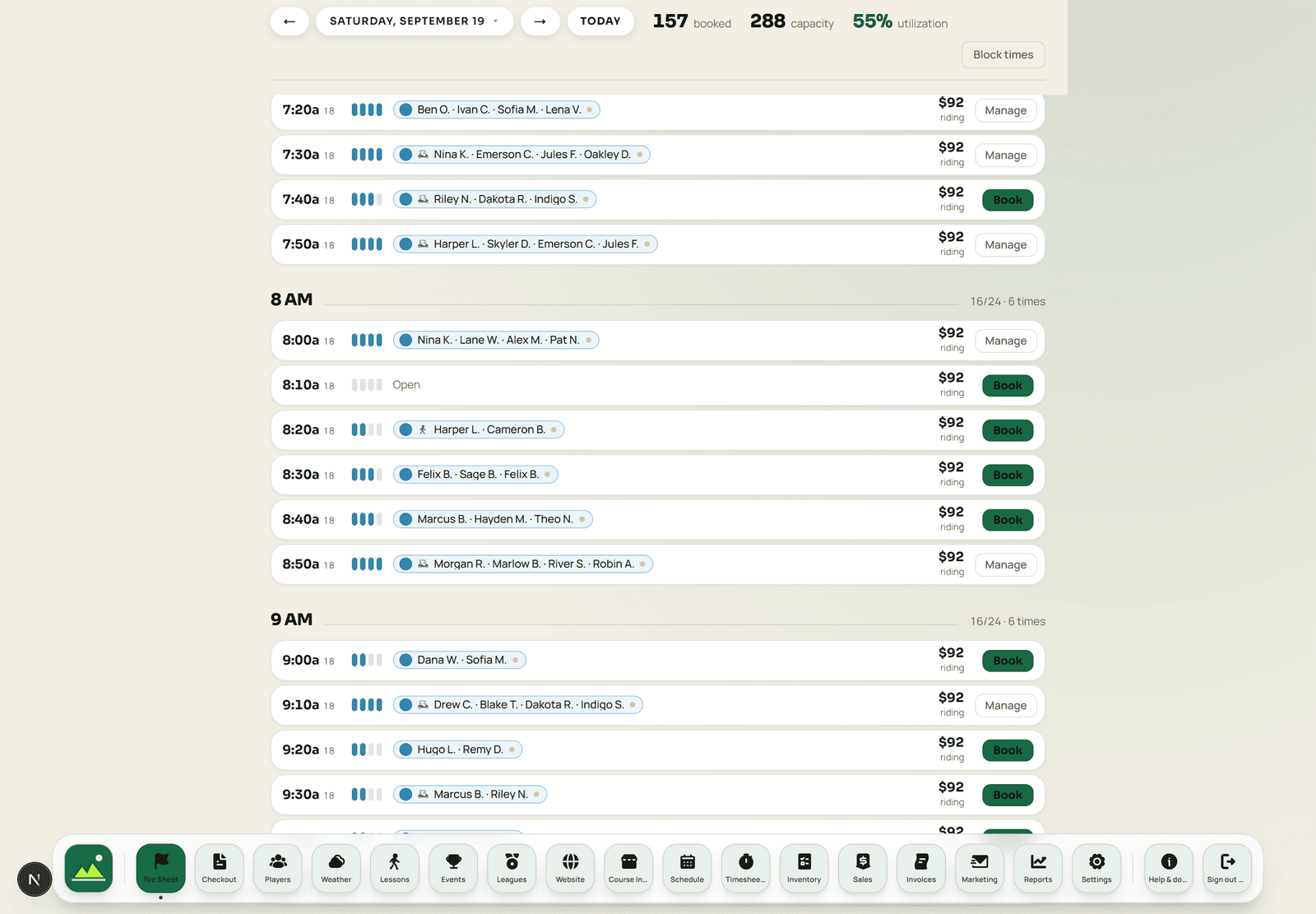 Sample data
The day
Three things a starter does before nine, and how each one works
A tee sheet is judged on the tasks staff repeat forty times a morning, not on a feature list.
- Move a group
- Drag the booking to the new time. The golfers' confirmation follows the change, the old slot returns to inventory immediately, and the move is recorded against the booking rather than happening invisibly.
- Block for an event
- Select a range and block it for a shotgun, a league or maintenance. Blocked slots stop accepting online bookings the moment they are blocked, so nothing sneaks in behind an event.
- Check a foursome in
- Check-in from the row pushes the group onto the register with the green fee and cart already priced by their rate class — the counter finishes the sale rather than rebuilding it.
Green fees & rate classes
The rate is decided by the rule, not by who is at the counter
Every golfer profile carries a rate class — public, member, senior, junior, league, comp, whatever your card actually says. Green-fee rules then price by time of day, day of week and season on top of that. The result is that the price a golfer is quoted online, the price on the sheet and the price at the register are the same number, because only one of them exists.
- Rate classes on the profile
- A member is priced as a member wherever they appear — online, at the counter, or on a league card.
- Rules by time, day and season
- Twilight, weekend and shoulder-season pricing are configuration, not a note taped to the monitor.
- Dynamic pricing and waitlists
- Demand-based rates and a waitlist for full mornings are part of the tee sheet rather than a separate revenue tool.
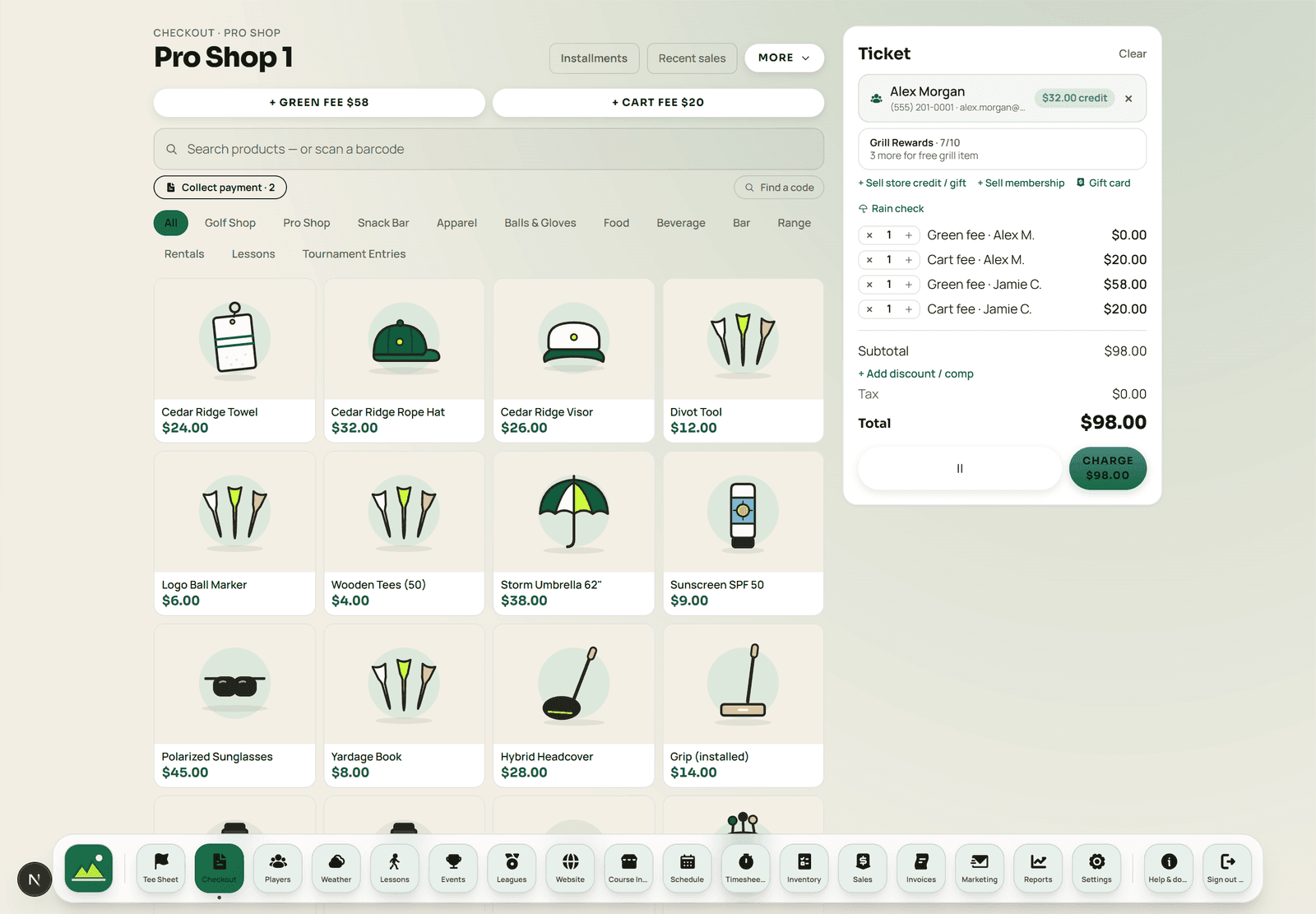 Sample data
What else lives on the sheet
The parts of a tee sheet that usually become someone's spreadsheet.
- Member groups with standing tee times that regenerate weekly
- Rain checks, full and partial, credited to the golfer's record
- Booking channel on every row — pro shop, online, phone, app, league, member group
- Cart and player-count controls on the booking, not in a note
- Notes on a group that the starter and the counter both see
- A printable start sheet for events and shotguns
What the tee sheet does not do
Offline behavior

The first tee
Everything downstream starts as a row on the sheet
The rate class, the cart, the payment status and the check-in all hang off the booking. Get that row right and the register, the report and the golfer record all agree without anyone re-keying a thing.
Tee sheet questions
Can I run a shotgun or a league block on the same sheet?
Yes. A range of times can be blocked for an event or a league, and the tee sheet labels the channel a booking came through — pro shop, online, phone, app, league, member group or marketplace — so a blocked morning reads clearly to whoever opens the shop.
How do rates get applied?
By rate class and green-fee rules rather than by the person at the counter remembering. A golfer's profile carries their rate class, and pricing rules cover time of day, day of week and season, so the slot is priced as it is booked and the same price appears at check-in.
What happens when weather cuts a round short?
Rain checks are built in, full or partial. The credit attaches to the golfer's record rather than to a paper slip, so it can be redeemed at the register later without anyone hunting for the original ticket.
Do standing tee times for members work?
Yes. Member groups hold standing tee times that regenerate on their schedule, so the Saturday 8.10 foursome stays the Saturday 8.10 foursome without a staff member rebuilding it every week.
Does online booking write to the same sheet?
It is the same sheet. There is no sync step and no second inventory: a golfer booking on your website takes the slot out of the tee sheet immediately, and a slot the pro shop books is immediately unavailable online.
Bring your busiest Saturday
The most useful walkthrough is the one where we load your real rate structure and your actual Saturday and see whether the grid holds up.